A memory for your Mac
Record supported clipboard text, images and file references after enabling history. Search and filter the copies you need again, including a view of everything you pinned.
Find what you copied on your Mac. Save useful text and images deliberately on Android. Two local libraries, made for the way each device works.
14+
Records supported clipboard items when history is enabled. Image text recognition runs on your Mac.
Local Mac library. No automatic cloud sync or shared Apple/Google purchase.
This edition is preparing for release. There is no public download yet.
8+
Save deliberately with Paste, Share or image import. Android does not monitor the clipboard in the background.
Local Android library. Clipmento Pro is purchased separately in each official store.
Free to download, with a 14-day trial of every feature.
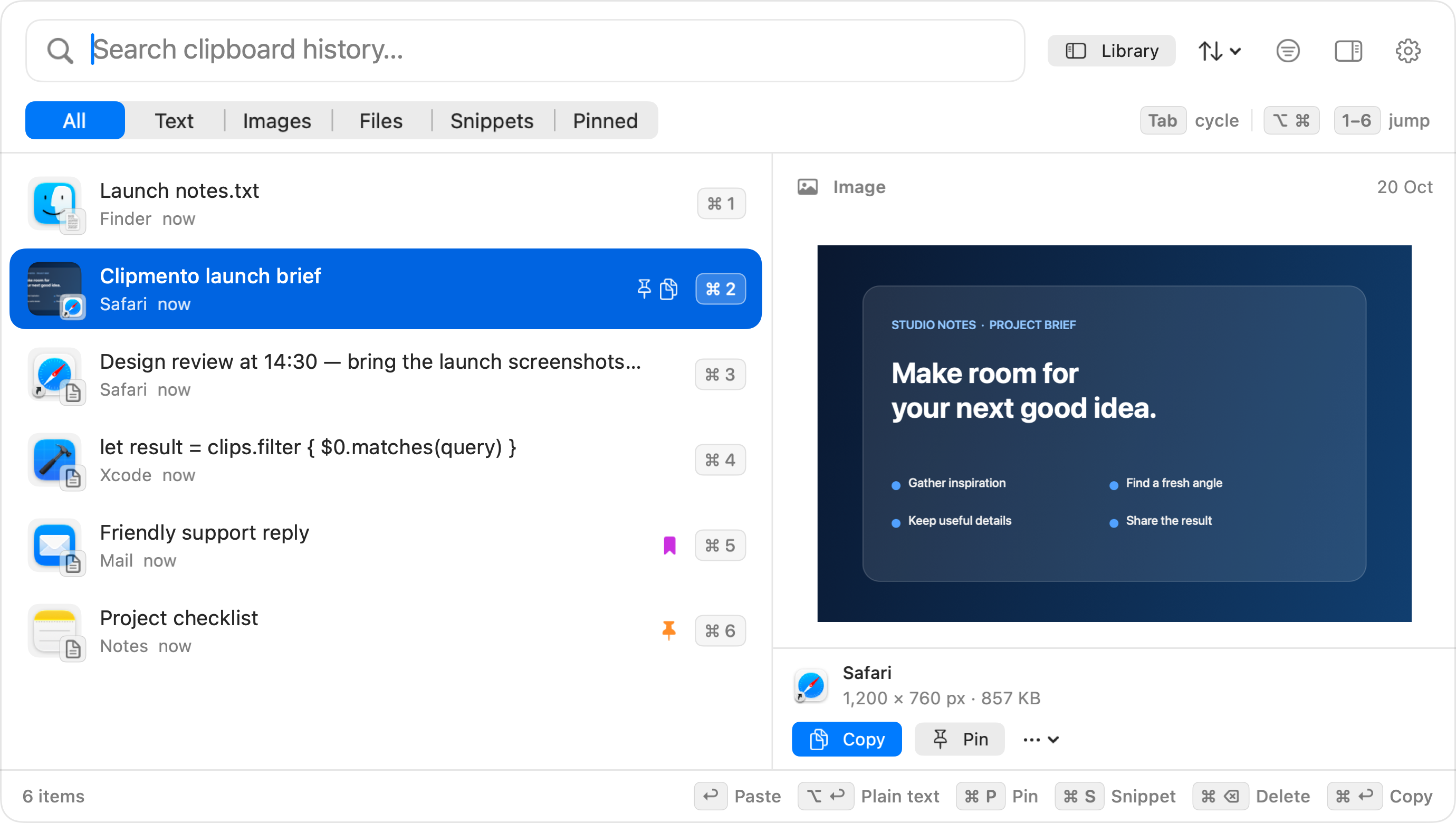
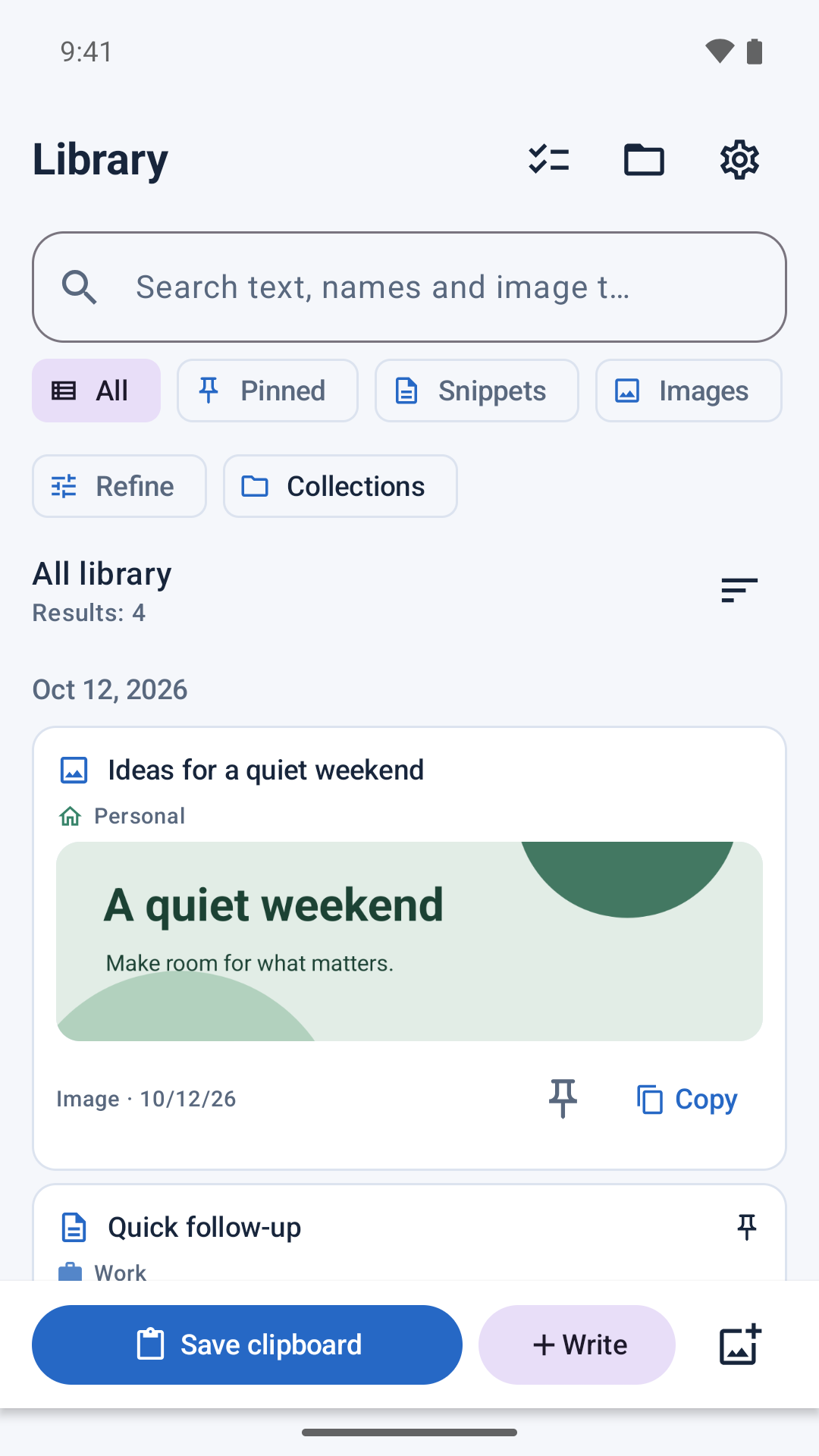
Record supported clipboard text, images and file references after enabling history. Search and filter the copies you need again, including a view of everything you pinned.
The Mac edition recognizes text in supported images on your Mac. Search those words, preview the image and copy the text you need.
Tap Paste while Clipmento is open, long-press its icon to save the clipboard, use Android’s Share menu, or import an image. You choose each item; background clipboard monitoring is not used.
Both editions let you search text and names, pin important items and create named snippets. Saved favorites stay until you remove them.
On Mac, open history with ⌘Escape and choose an item to paste into the app you were using. Automatic pasting is on by default after you grant Accessibility permission; copy-only mode is available in Settings, and ⌘Return or the item’s right-click menu copies without pasting. On Android, use Copy or Share.
Choose a history duration and clear items you no longer need. The Mac edition also lets you pause recording indefinitely or for a set time, and exclude apps. Neither edition needs a Clipmento account or cloud sync.
Group related clips in named collections. Edit snippets, fill in reusable template fields, combine selected text and preview text-cleanup tools before copying a result.
Export a library archive, protect it with a password, and review an import before adding it to your library. Move supported text, images and collections between Mac and Android with a file you choose; no automatic sync or account is involved.
Extract English text from a saved image with a model bundled in the app. Check and correct the result, save it with the image, and search it later. Recognition runs on your device.
Arrange an explicit paste queue, save searches and use Clipmento actions in Apple Shortcuts. Adjust text previews and hide clipboard content with Presentation Privacy when sharing your screen.
Preview images can differ from the version in your store.
Clipmento next-update preview on Mac: clipboard history and an image preview with fictional project content
Mac · Preview imageClipmento next-update preview on Android: library filters, collections and a saved image with fictional content
Android · Preview image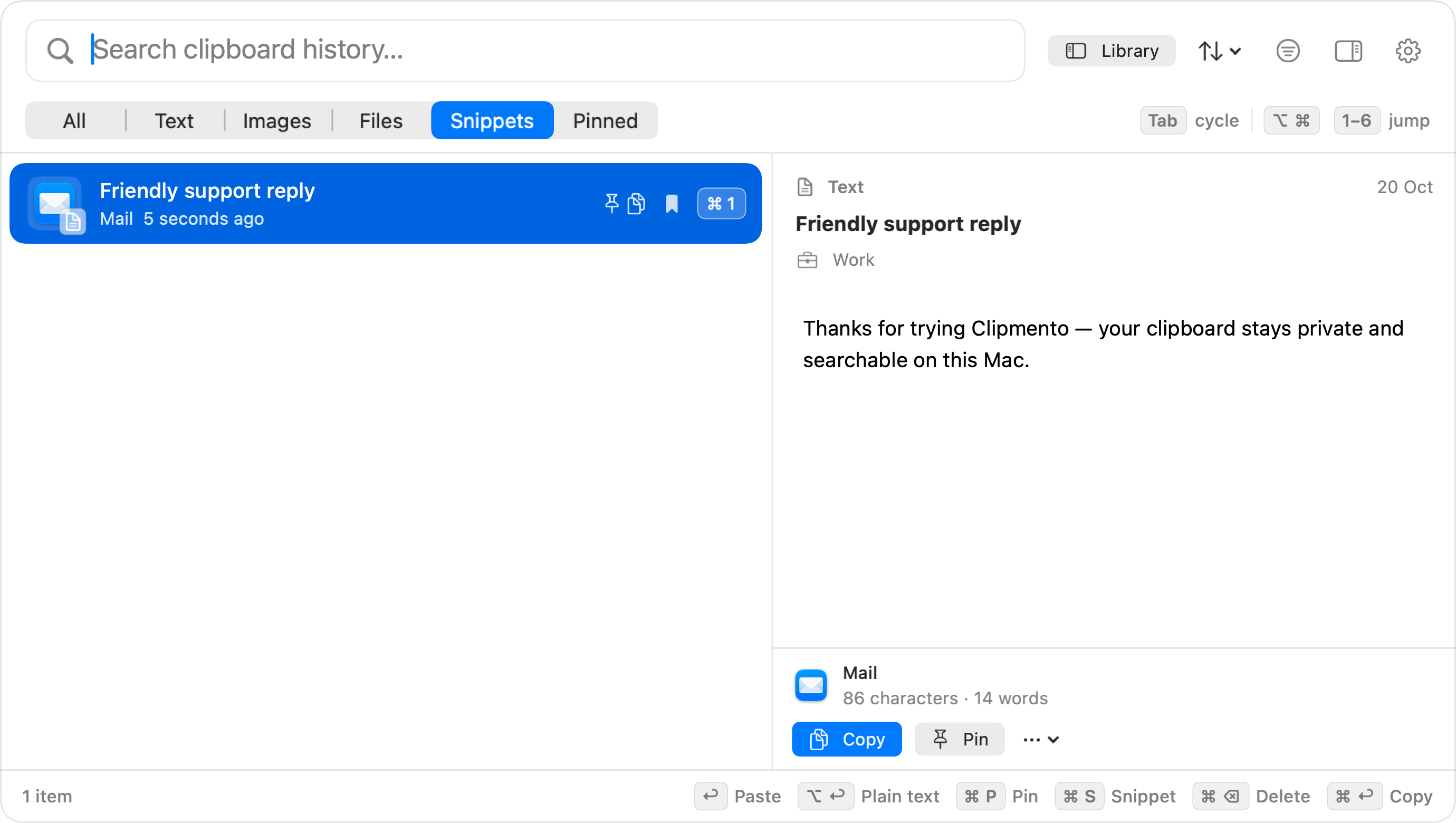
Clipmento next-update preview on Mac: named snippets and adjustable text previews with a fictional support reply
Mac · Preview imageHave another question?
Get in touch.
The Mac edition supports Intel and Apple silicon Macs running macOS 14 or later. The separate Android edition supports phones and tablets running Android 8.0 or later. There is no iPhone or iPad edition.
Mac clipboard history records supported copies according to your settings. Android saves only what you explicitly paste, write, import or share to Clipmento. Android does not monitor the clipboard in the background. The next update adds on-device English text extraction for images you have saved.
Yes. On Mac, Paste automatically is on by default. Grant Accessibility permission when prompted, then choose an item with Return, a quick-number shortcut, or the mouse to paste it into your previous app. Turn Paste automatically off in Settings → General to copy items and paste them yourself with ⌘V. Android continues to use Copy or Share.
Clipmento is free to download, with a free 14-day trial of every feature. When the trial ends, Clipmento keeps saving and your whole history stays visible and searchable, but only your 3 most recent items can be pasted, copied or shared until you buy Clipmento Pro, a one-time in-app purchase. There is no subscription. The store shows the price before you buy.
Each edition keeps its own local library. There is no automatic cloud sync or shared Apple/Google purchase. The next update adds manual library-file export and import between Mac and Android. Clipmento Pro is bought separately in each official store.
Both editions use private app storage without adding their own database encryption. The next update can password-protect exported library archives; this encrypts the archive, not your working library. Protect your device with its screen lock and system security settings. There are no Clipmento accounts, ads or analytics.
Android keeps a private copy of imported images. Android automatic cloud backup and device transfer remain disabled; uninstalling removes the library. The next update adds manual library archives for backup and transfer. Mac file items contain references only: archives do not include the original files or their access permissions, and Android skips those references. Your Mac’s backup settings may include local history.
Avoid saving secrets. On Mac, recognized sensitive clipboard markers from cooperating apps are skipped, but not every secret can be detected; use pause or app exclusions when needed. On Android, save only content you intend to retain.
Clipmento is available on Google Play for Android. The Mac edition is preparing for Mac App Store release; its download link will appear here when it is public.
Other apps you might enjoy.

Open links, drag with a middle click, and pinch to zoom. Choose the gestures that fit the way you work.
macOS
A native Markdown editor for notes, plans and documentation. Write in the source, read or edit in Preview, and keep your words in ordinary files.
Mac, iPhone & iPad, Apple Vision Pro, Android phones & tablets
A regex crossword game. Fill rectangular and rotating hexagonal grids until every line matches its clue.
iPhone & iPad, Mac, Android phones & tablets, Apple Vision Pro